How to Provide Liquidity
Providing full-range liquidity
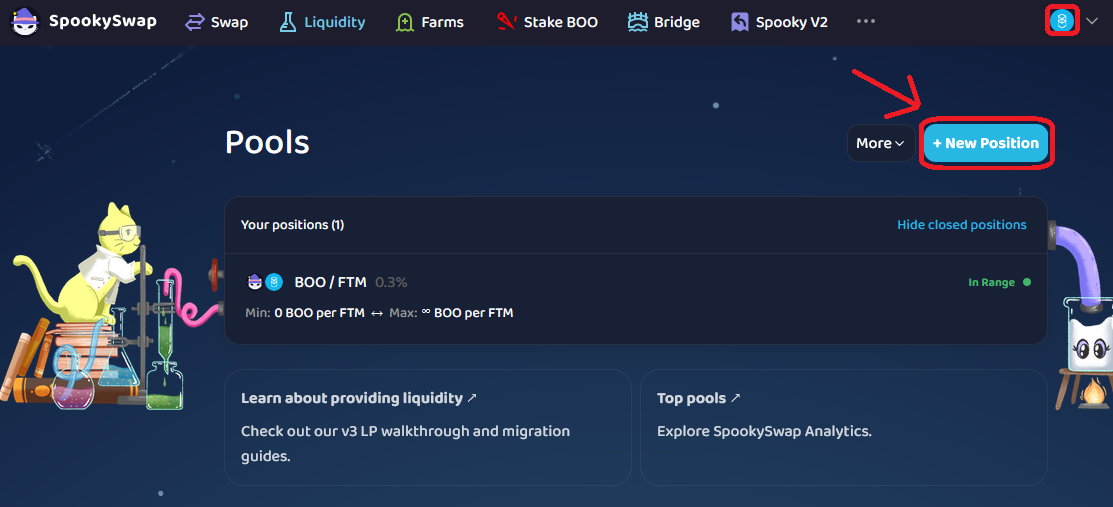
- First, go to our Liquidity page. Make sure your wallet is connected and on the correct network.
- Click + New Position.
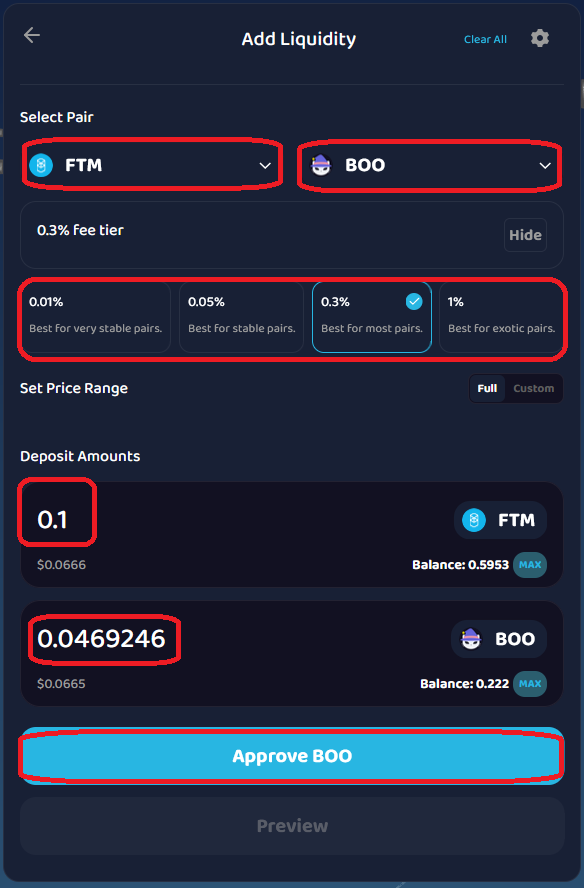
- Select the token pair you wish. After selecting your token pair, select one of the 4 fee tiers you will earn. Investors can select the Full option to provide liquidity across the entire price range without having to monitor or customize price ranges.
- When you are ready, click Approve and approve the transaction in your wallet. (In this example, FTM and YOW are the token pairs, and the 0.3% fee tier is chosen.)
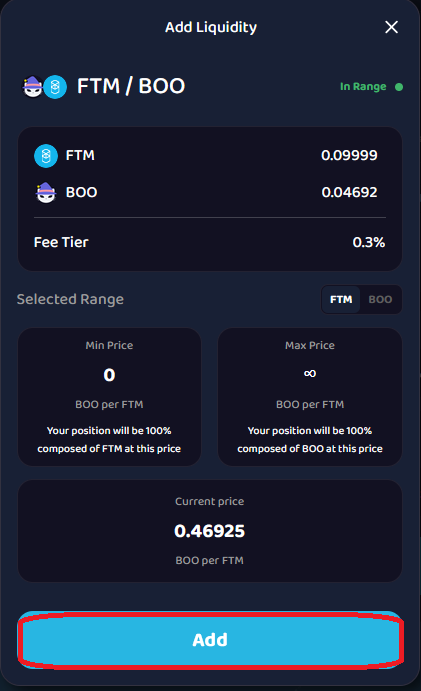
- When it’s approved and confirmed, click Preview to ensure the details of your liquidity are added. Once everything looks correct, click Add and confirm it in your wallet again.
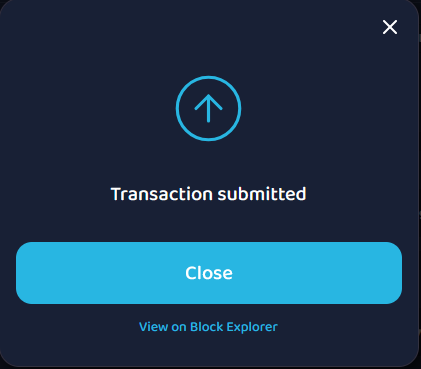
- When complete, you should see the Transaction submitted window pop up. You can click View on Block Explorer to view it on MonVision.
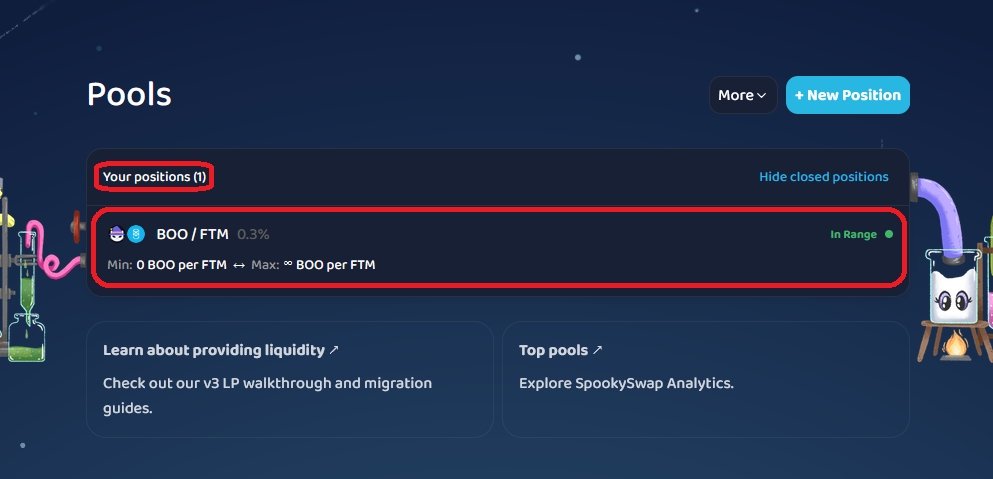
- Once you close the pop-up window, you should see your new open position.
Providing Concentrated Liquidity
If you wish to utilize the benefits of Concentrated Liquidity, like range orders, before depositing your token amounts, set your custom price range. To learn more about price ranges, price rounding, and concentrated liquidity, check the Yowie article on concentrated liquidity.
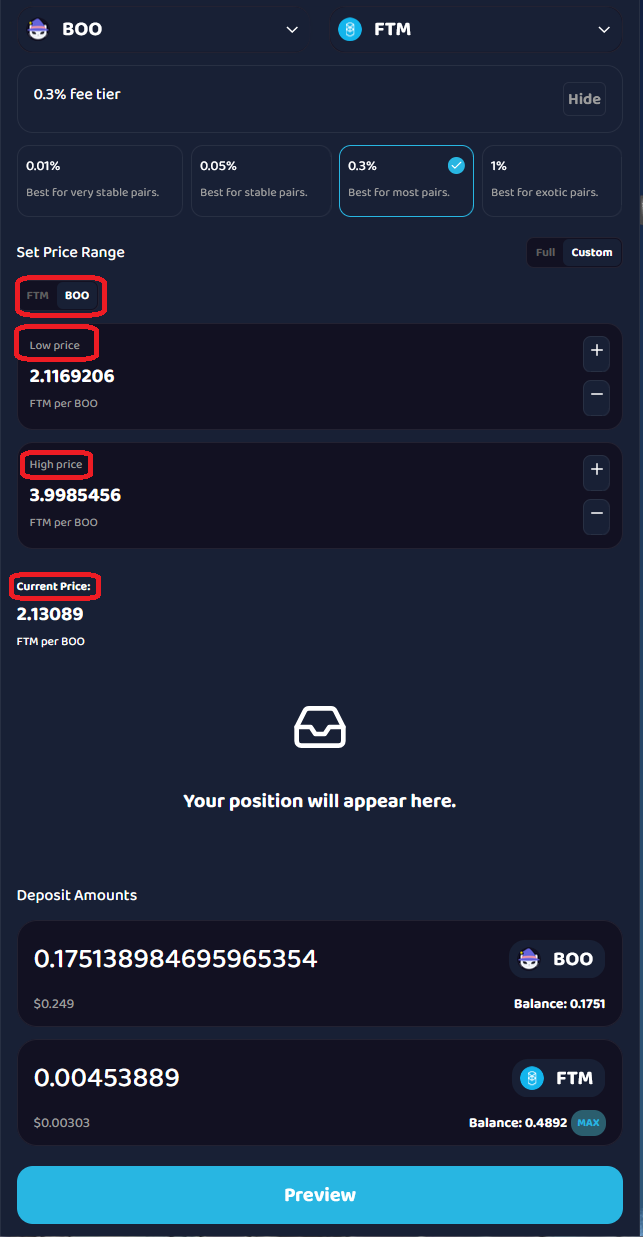
Video: Concentrated liquidity overview (Uniswap)